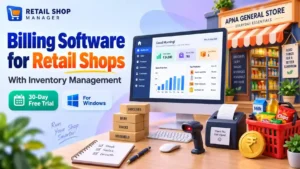
Windows desktop software for Indian shopkeepers
Billing Software for Retail Shops With Inventory in India
Manage billing, stock, purchases, customer dues and daily cash in one place. Give your staff the access they need and keep your shop’s records organised.
Everything for your daily shop workflow
From the first bill to closing cash, keep your business in view.
Sales & billing
Record walk-in and named-customer sales. Use item codes or barcodes, discounts, configured GST rates and partial payments.
Inventory management
Organise items by category and unit. Record opening stock, follow stock movements and check reorder levels and stock valuation.
Purchases & returns
Enter supplier invoices and payments. Record sales and purchase returns against their original transactions.
Customer & supplier dues
Track outstanding invoices, due dates and receipts. Keep part-paid balances visible as payments are recorded.
Cashbook & reports
Review cash in hand, expenses, sales, purchases and profit. Use report print previews and Excel/CSV or PDF exports.
Administrator & staff access
The shop owner manages the Administrator account. Create staff users and assign customised rights for their work.
Installation & first-time setup
Download & extract
Save the ZIP. In Windows, right-click it and choose Extract All. Keep the extracted folder in a permanent location.
Open the application
Launch
RetailShopManager.exe. This package is a portable executable, rather than a setup wizard.Register your shop
Complete Business Setup and create the shop Administrator. Internet access is needed for registration and subscription verification.
Add your records
Create categories, units, products, suppliers and customers. Enter opening stock and cash before recording daily transactions.
Test with demo entries first, keep demo and live data separate, and make regular backups. The download is a portable Windows application, not an Android app or installation wizard.
Trial, payment & renewal rules
Trial: One 30-day automatic trial per registered computer. Reinstalling the application does not restart it.
Payment: Submit your UTR in Subscription Credits. Owner approval adds ₹30 to your wallet. The Administrator must then confirm activation or renewal.
Pay during trial: Your first paid month starts after the trial ends, preserving the remaining trial days.
Further renewal: Payment submissions and renewals open 72 hours before paid expiry. Renewal is also allowed after expiry to restore access. Check the exact date and time in the application.
Frequently asked questions
Is Retail Shop Manager completely free?
There is a 30-day free trial. Continued use requires the paid subscription, currently ₹30 per month. One automatic trial is available per registered computer.
How do payment approval and wallet credit work?
Use Subscription Credits to follow the payment instructions and submit the UTR or transaction reference. After the software owner approves payment, ₹30 is added to the wallet. The shop Administrator then confirms activation or renewal using that credit. Approval alone does not renew the subscription.
Will early activation reduce my trial period?
No. If you activate your first paid month during the trial, that paid period starts after the trial ends. The application displays the paid-through date and the next renewal window.
Can I use it on an Android phone?
The shopkeeper download on this page is a Windows desktop application. It does not run on Android. The separate owner approval mobile tool is for software-owner administration.
Does it support GST calculations?
You can enter GST rates for items and transactions, and review recorded GST amounts. Use the appropriate rates for your actual products. GST return filing and government e-invoice integration are not advertised as part of this download.
Can my staff have different permissions?
Yes. The shop owner acts as Administrator and assigns customised access rights to staff users according to their responsibilities.
What happens if I reinstall or my subscription expires?
Ordinary application reinstallation retrieves the existing device registration instead of granting a fresh trial. Operational access is restricted when subscription access expires or cannot be verified. Use Subscription Credits or contact the software owner for help.
Who can help with setup or payment questions?
Call 8974936056 or 9615704629. You can also contact the owner on WhatsApp at 8974936056. Keep your Shop ID ready for subscription enquiries.
Join our WhatsApp Channel for software news, updates and announcements.
Join our WhatsApp Channel ↗Call 8974936056 / 9615704629 · Keep your Shop ID ready.